
For many businesses, the biggest obstacle to switching from Windows to macOS is safely moving their existing data without losing anything important. Windows Migration Assistant is Apple’s solution to that challenge: a free tool that connects your PC and Mac over the same network and transfers your digital life across in a single, streamlined process. […]
Windows Migration Assistant: How to move your files from a PC to a Mac

Why you should perform a disk cleanup right now

As your computer stores more data, it may begin to struggle with accessing and processing information quickly. Fortunately, disk cleanups are a simple way to address this issue and boost your PC’s performance. Here’s how it works: What is disk cleanup? Disk Cleanup is a built-in utility in Windows that helps you remove unnecessary files […]
Want a better PC? Here’s a guide to building your own
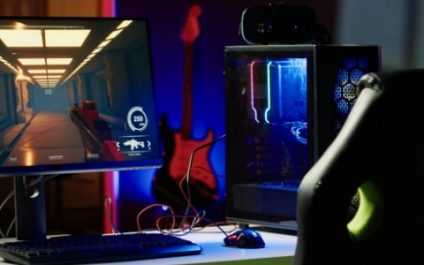
Thinking about upgrading your PC? Instead of buying a prebuilt machine, why not build one yourself? It’s simpler than you might think and far more rewarding. By taking on this project, you’ll gain a better understanding of how every component works, learn valuable skills, and get a custom-built system designed specifically for you. Start with […]
Stuck on updating? How to fix common Windows Update failures

Nothing tests your patience quite like the “Checking for updates…” screen on a Windows PC — unless it ends with a failed update message, just to add insult to injury. Windows Update issues are a common headache for many users, interrupting workflow and potentially leaving systems vulnerable. This article offers practical solutions to get your […]
What are the differences between proprietary and open-source VoIP?

VoIP, or Voice over Internet Protocol, has revolutionized communication by allowing businesses to make and receive phone calls over the internet. In this blog post, we will discuss the advantages and disadvantages of two types of VoIP — proprietary and open source — as well as factors to consider when choosing the best VoIP solution […]
Optimize your Windows 11 experience by getting rid of bloatware

Want to make the most of your Windows 11 PC? Removing bloatware is a crucial step. Learn how to easily uninstall unnecessary applications and declutter your system for a smoother and more efficient experience. What is bloatware? Bloatware, also known as junkware or crapware, refers to preinstalled software on your device that is often unnecessary […]
8 Energy-saving tips for your PC
It can be difficult to save energy when using your PC daily is a necessity (i.e., for work). For instance, a desktop setup with loudspeakers and a printer, running eight hours a day, consumes close to 600 kWh of power annually. Fortunately, there are several tips you can follow to help reduce your electricity consumption. […]
Enhance your Android user experience by syncing with Google Chrome

By leveraging Google Chrome’s data synchronization with Android devices, users achieve a streamlined workflow. This cross-device compatibility fosters a seamless user experience, enabling them to effortlessly transition between devices and manage work and personal activities with optimal efficiency. View recently opened tabs on your Android device This is especially useful when you need to bring […]
PC to Mac migration made simple: A guide to using Windows Migration Assistant
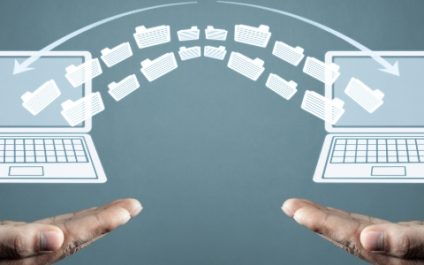
Transitioning from a PC to a Mac involves more than just getting accustomed to a new operating system; it also requires seamlessly transferring your digital life. Apple recognizes this challenge and offers an intuitive solution — Windows Migration Assistant. This guide is your key to navigating through the steps of PC to Mac migration, utilizing […]
Maximizing efficiency: 10 Tips to speed up Windows 11

Whether you’re using your computer for work or leisure, having a slow and unresponsive system can be frustrating. With the release of Windows 11, Microsoft has promised significant performance improvements compared to its predecessor, Windows 10. However, there are still ways to maximize efficiency and make your computer run even faster. In this guide, we’ll […]